ISPCRM Dashboard Overview
The ISPCRM Dashboard is meticulously designed to offer you a comprehensive view of your network management and billing operations. It equips you with crucial insights into various metrics and enables seamless navigation through key functionalities.
Navigation Bar
-
Online Users Count: A prominent counter on the left displays the current number of active users on the service.

-
Global Search: Positioned next to the user count, the search bar allows you to quickly find user accounts by username, mobile number, email, or address.

-
Make Deposit: This quick-access feature enables immediate fund additions to a zone’s wallet.

-
Earnings Release Request Notification: Alerts administrators when any subzones (Franchise/Distributor) initiate the transfer of earned funds to their accounts, facilitating prompt processing.

-
Refund Request Notification: Notifies administrators of refund requests due to incorrect renewals or recharges by any subzone (Franchise/Distributor) accounts.

-
System Notification: Signals important system events or actions that require administrator attention.

-
User Profile Access: The avatar on the right provides quick access to the logged-in user’s profile or account settings.

The navigation bar is engineered to offer a snapshot of the system’s current status and provide expedited access to key operations and user information, streamlining the management experience.
Quick Statistics Panel
This panel delivers a quick glance at essential metrics.
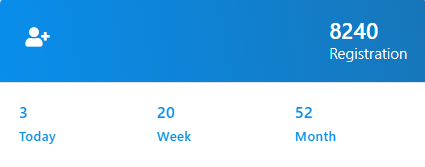
Registration
- Total: Showcases the cumulative registrations, reflecting your service’s reach.
- Today: Indicates the number of users who have signed up on the current day.
- Week: Tracks registrations for the week, assessing immediate growth trends.
-
Month: Provides a monthly sign-up overview, crucial for strategic planning.
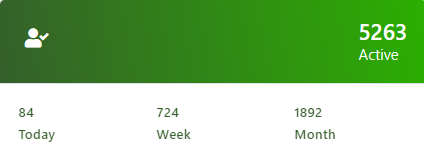
Active
- Active: Displays the total number of subscribers currently active.
- Today: Counts subscribers who have renewed or continued their subscriptions on the current day.
- Week: Summarizes weekly subscriber activity to evaluate engagement.
-
Month: Monthly active data offers insights into growth trends and retention.
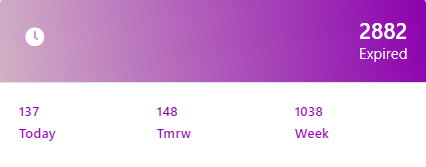
Expired
- Total: The overall count of expired subscriptions, pinpointing potential revenue recovery opportunities.
- Today: Identifies subscriptions expired today, signaling the need for immediate re-engagement.
- Tomorrow: Identifies subscriptions expiring tomorrow for proactive renewal reminders.
-
Week: Provides a weekly summary of expirations for trend analysis and engagement strategies.
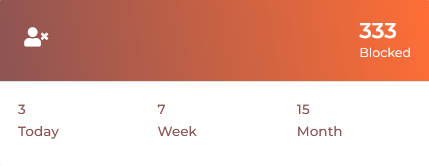
Blocked
- Total: Aggregates all accounts that have been blocked for any reasons.
- Today: The number of accounts blocked on the current day.
- Week: A weekly count of blocked accounts.
-
Month: Monthly statistics on blocks.
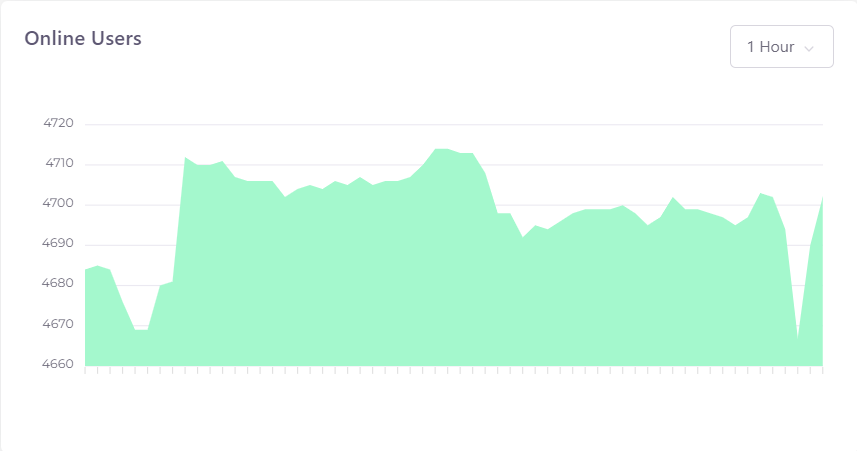
Online Users Graph
The graph illustrates the number of users online at any given moment, aiding in load management and network performance monitoring.
Support Tracker
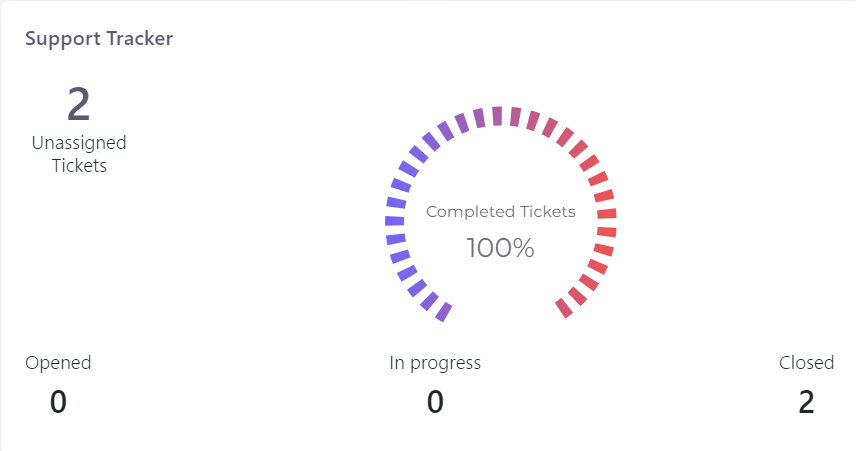
- Unassigned Tickets: Displays the count of tickets awaiting assignment, ensuring prompt attention from your support team.
- Opened: Indicates tickets currently open.
- In Progress: Shows the number of tickets being actively addressed.
- Closed: Reflects successfully resolved tickets.
- Completed Tickets: Represents the resolution rate of your support Team, completion rate highlighting the efficiency of your support operations.
Proactive Customer Service
Real-time ticket data is pivotal for maintaining exemplary customer service standards and managing support queries effectively.
Resource Monitoring
Gain direct insights into resource usage to keep system performance optimized.
CPU Usage
Assesses CPU load patterns for potential hardware scaling.

Memory Usage
Monitors memory allocation to prevent service disruptions.

Disk Usage
Evaluates storage consumption to anticipate the need for increased capacity.

I/O Operations
Reviews data transfer rates and identifies any throughput bottlenecks.

Leverage the ISPCRM Dashboard’s robust features for a comprehensive grasp of your operations. For further details and support, refer to our Support Team.