Document Management for Users
Document management is a critical component of user administration within any service provider’s operational framework. The Users' Documents section in ISPCRM offers a centralized and organized repository for the documentation related to user accounts.
Navigating the Documents Interface
The interface displays a comprehensive list of users along with their respective documentation status. It provides a quick visual reference to verify which documents have been uploaded and reviewed.
Table Overview:
- Status: This column shows whether the user is active or if their account has expired, offering insight into the user’s current engagement level.
- Online: Indicates the user’s current connection status, providing context for the account activity.
- Username & Full Name: Identifying information that links the documentation to a specific individual.
- Contact & Address: Essential communication details and location information for administrative purposes.
- Document Proofs: Icons indicating the presence of uploaded documents such as ID or address proof—clickable for quick viewing or downloading.
- Owner: The administrative entity or zone responsible for the user, facilitating accountability and oversight.
An example table showcasing the documentation status of users.
Managing Documents
The platform offers several document-related actions through the user-friendly Actions dropdown menu:
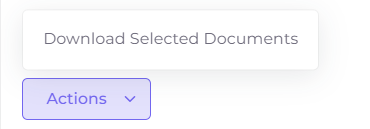
- Download Selected Documents: Allows for bulk downloading of documents for selected users, streamlining the process for audit or verification purposes.
Illustration of the bulk download action for selected documents.
Searching and Sorting
To enhance administrative efficiency, utilize the built-in search feature to locate specific user documents quickly. The list can also be sorted by any column header to organize the view as per your preference.
Functionalities to search and sort user documents efficiently.

Document Verification
Ensuring that the uploaded documents are up-to-date and verified is key to maintaining the integrity of user profiles. Use the available icons to check and manage individual documents.
Best Practices
- Regularly audit the document repository to ensure accuracy and compliance.
- Encourage users to update their documentation promptly to reflect any changes.
- Maintain a secure backup of all documents to prevent data loss and support recovery efforts.